
A Practical Guide to Email A/B Testing
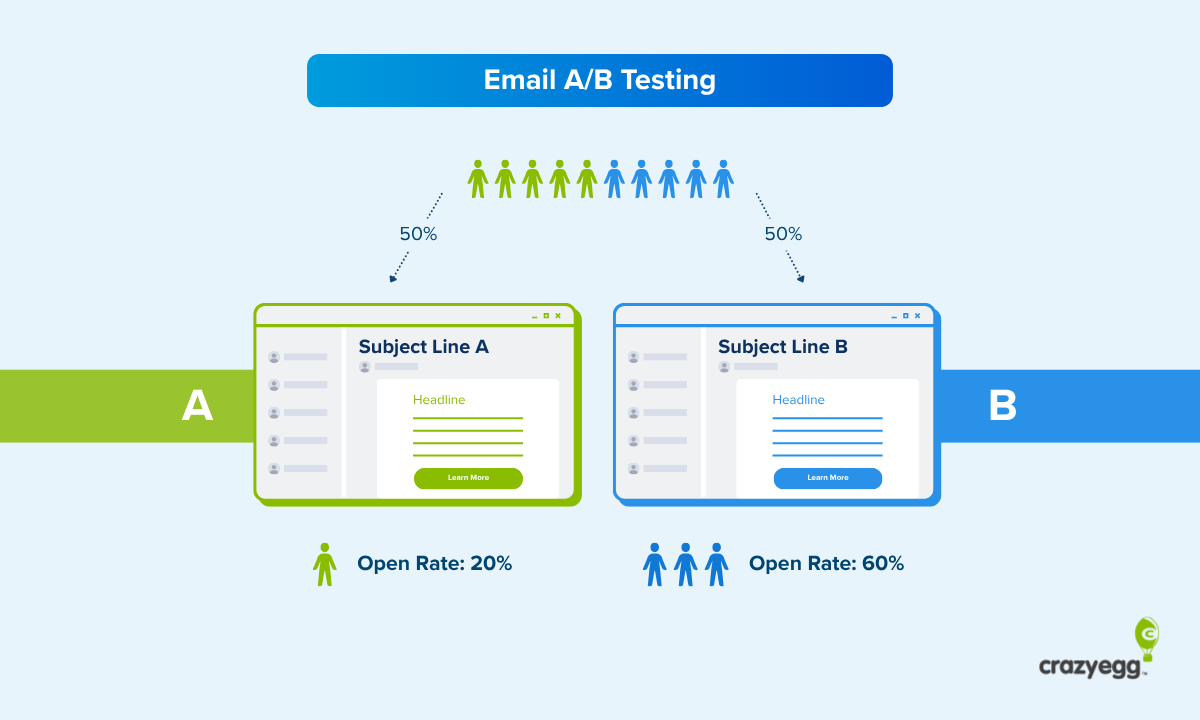

The payoff from email A/B testing is simple: sending two different versions of an email to two recipient subgroups lets you reliably identify the better-performing one, so you can confidently run the campaign for the rest of the contact list.
This guide covers the practical side of email A/B testing: what’s worth testing, how to run a test from start to finish, and which metrics to use. I also share best practices and common mistakes, and how you can use AI to aid the process.
What Is Email A/B Testing?
Email A/B testing, sometimes called email split testing or email bucket testing, is a controlled experimentation method in which you send two versions of the same email to two randomly selected recipient groups to see which performs better. For example, gets a higher open or reply rate.
The A/B in the name refers to the two versions: A, called the control, is the email you start from. B is the variant or treatment, and it includes a change. Say a different subject line, CTA, or offer details.
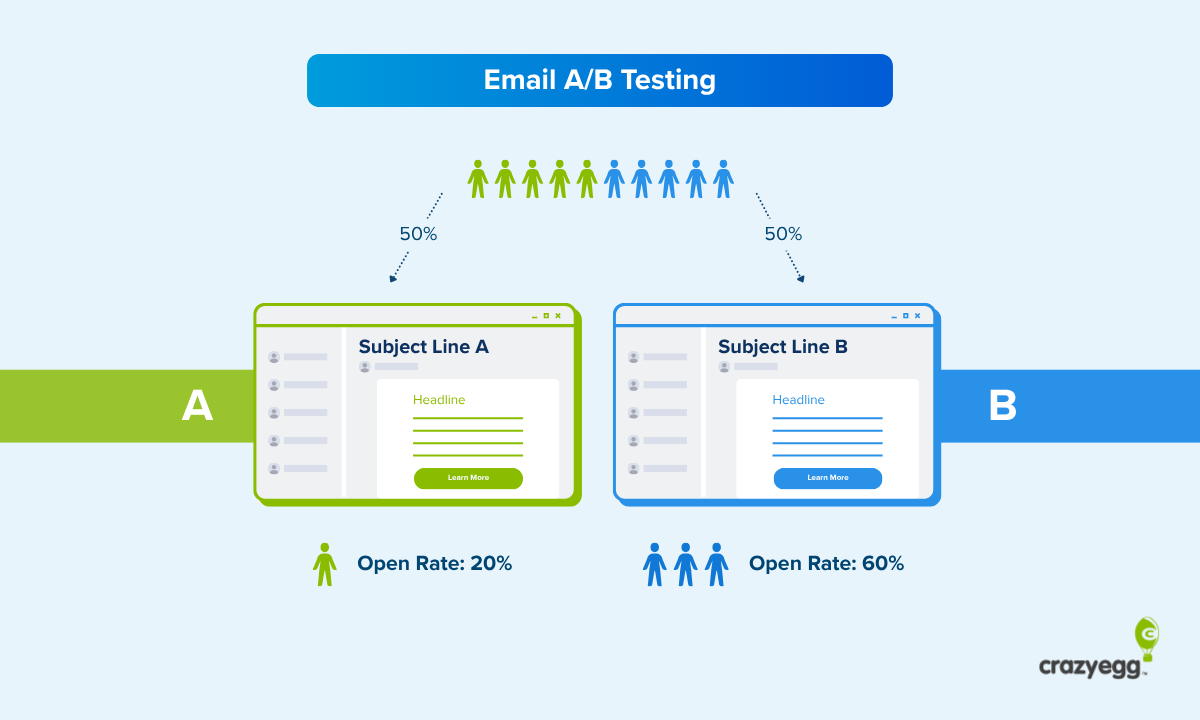
A/B testing works well for email because recipient reactions are clean and easy to quantify. A subscriber either opens the email or doesn’t. Clicks on the CTA or not.
What Are the Benefits of Email A/B Testing?
Email A/B testing offers marketing teams a few benefits:
- It replaces guesswork with data-driven decision-making. You don’t rely on your intuition, which is misleading, to make copy and design decisions, but on hard data from a representative target audience sample.
- It improves performance and ROI: Case studies consistently show that running email campaigns on empirical evidence translates into higher open rates, CTRs, conversion rates, and ultimately higher revenue. For example, Monica Badiu shared a case study in which subject lines that evoked curiosity more than doubled revenue from cart abandonment email flows.
- It helps you justify your decisions to stakeholders: When reporting or pitching to your leaders, the test results make it easier to explain your decisions and demonstrate their impact.
- It gives you better audience understanding: The learnings from subsequent tests compound, giving you granular insights into your ICP preferences and informing future campaigns.
- It reduces risk: Testing the campaign on a small slice of your list lets you iron out all kinks before a full rollout.
- It protects your budget: Testing your offer means you don’t run with expensive initiatives when cheaper ones convert equally well. For instance, Brava Fabrics used A/B tests to discover that a chance to win $300 was as effective at driving newsletter subscriptions as a universal 10% discount, which would have been more expensive.
What Should You Test First?
Not every element of an email is worth a test. Start with the changes that affect the message or the offer, and leave the cosmetic details for when you have volume to spare.
Start with the high-impact levers
- Subject line. Of everything you can test, the subject line has the biggest effect on whether people open your email, and consequently, convert. In one of the case studies shared by Next After, a subject line change increased the open rates by over 30%, CTRs by 25%, and donor conversions by 93.6%.
- Sender name and preview text: Just like the subject line, they impact open rates.
- The offer or incentive. For example, a discount, free shipping offer, or bundle. They affect conversion rates and how much customers spend.
- Call to action. The wording, the format (button versus text link), and the placement. For instance, Lauren Jean achieved a 53% CTR lift by replacing the “Learn more” CTA button microcopy with “Vote”.
- The core message angle and tone. Should your copy lead with the benefit or the feature? Does a warmer tone beat a direct one?
- Personalization and segmentation. Dynamic email content and tailoring to a segment improve results, as long as the personalization is genuinely relevant and doesn’t feel intrusive. River Island saw a nearly 31% increase in revenue and orders per email from send frequency personalization.
- Send timing. Email send times matter most for time-sensitive campaigns like sales and high-volume sends.
Skip low-impact tweaks (unless you have the volume)
Small cosmetic changes like these are worth testing only if you have a large list to run multiple statistically significant tests:
- Button color, shape, or size
- Emoji versus no emoji in the subject line
- Footer content and sign-off
- Single-word swaps and minor copy edits
- Font choice and small layout tweaks
- Swapping one hero image for another (testing image versus no image, image vs video, or static image vs gif is a different question)
How to Run an Email A/B Test in 9 Steps
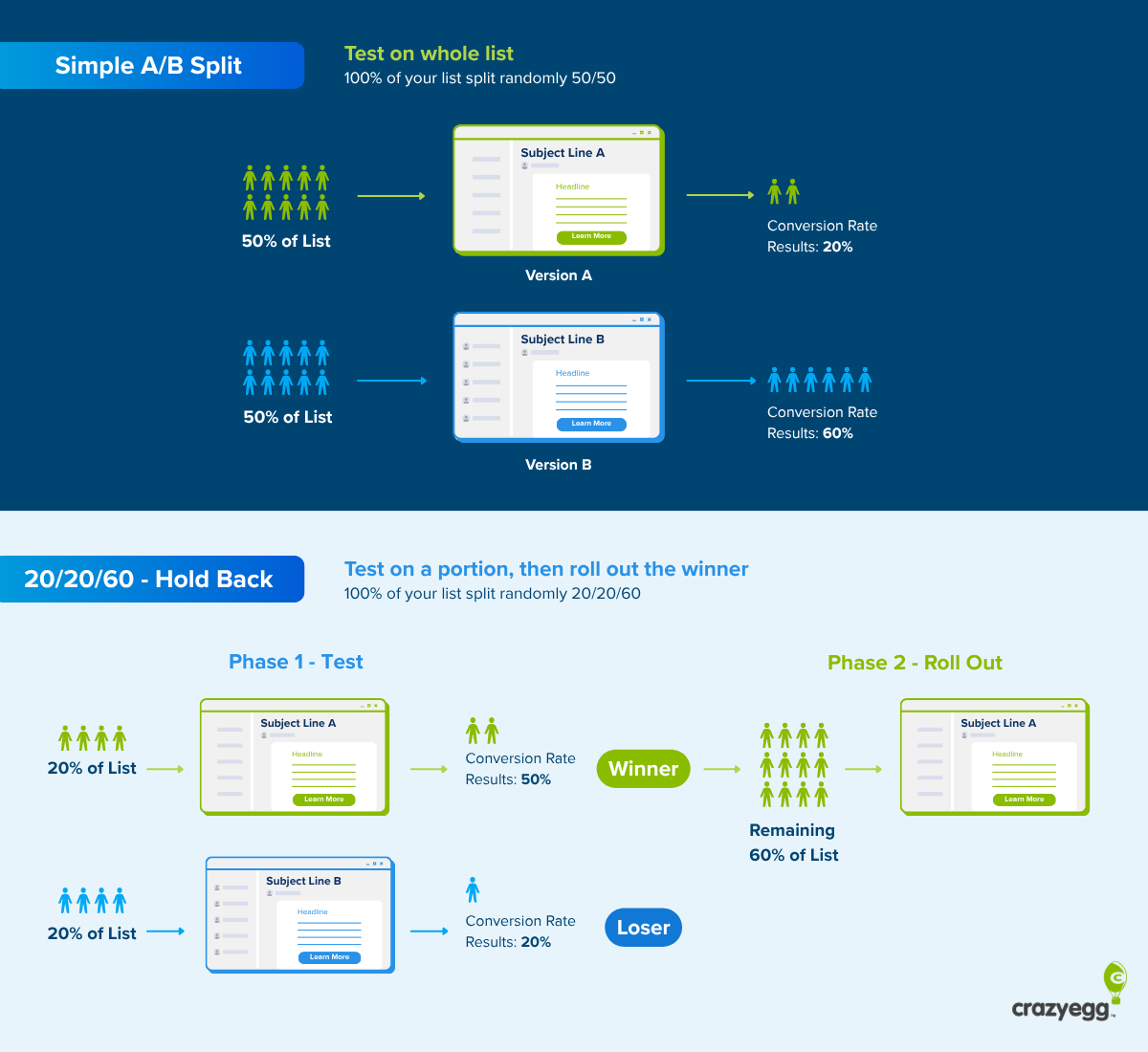
Email A/B testing follows this sequence:
Which Email Metrics Should You Test?
Here’s the breakdown of the most common metrics used in email A/B testing.
- Open rate: The percentage of recipients who open the email, best for testing the subject line, sender name, and preview text. Main limitation: automatically loading images, which can read as opens, and bot opens can skew the results.
- Click-through rate (CTR): The percentage of recipients who click a link in the email is best for testing CTAs, content, and layouts. Main limitation: Dividing the clicks by the number of delivered emails dilutes the result. The rate can be low not because the content fails, but because people don’t open the email.
- Click-to-open rate (CTOR): The percentage of clicks among the recipients who opened the email. It isolates whether the content itself worked once someone was inside, so it’s better for testing the body, layouts, and CTAs than CTR. However, it rests on open data, so it carries the same limitations as the open rate.
- Conversion rate: The share of recipients who take the action you care about, like a purchase, a signup, or a booking. It’s best for offer or CTA tests. Requires effective conversion tracking and a longer read window, since conversions trickle in after the click, often for weeks.
- Revenue per recipient: Total revenue divided by the number of emails delivered, best for measuring the money impact of offer or CTA variations. Useful for catching changes that improve CTRs or conversions, but lose money, like excessive discounts.
- Reply rate: The share of recipients who reply to the email, best for cold outbound and B2B, where a reply is the actual goal, but irrelevant for ecommerce sends.
Also, watch unsubscribe and spam-complaint rates, to catch changes that might be driving the primary metric, say the open rate, but are burning your list.
How Do You Get Results You Can Trust?
To run effective A/B tests, validate your testing setup and ensure the right sample size.
Run A/A tests to validate your testing methodology
In an A/A test, you split your test audience into two groups, just like in an A/B test, but send each an identical version of the email.
Its goal is to test the validity of your testing protocol.
If version A “beats” an identical version A, something in your split, sample size, or tracking is introducing bias.
Use the right sample size for statistical significance
Your A/B test results are meaningful only if they are statistically significant.
The industry standard for statistical significance is 95% or a p-value under 0.05, which means you can be 95% confident the lift — or drop — wasn’t due to chance. 75% is promising but far from certain.
To achieve such statistical significance, you need the right sample size. Some email providers suggest at least 1,800 participants per variant (and up to 10,000). To calculate the exact sample size, use an online calculator (there are plenty around).
Email A/B Testing Dos and Don’ts
In addition to ensuring statistical significance and integrity of your testing methodology, follow these best practices to make your email A/B tests work.
- Test on the right, clean audience. Define the target segment and test on engaged contacts. For example, test only on emails that match your ICP characteristics or show buyer signals.
- Send both variants at the same time. Otherwise, the send window becomes an accidental second variable.
- Give the test enough time before you read it. Set the minimum duration, normally 48-72 hours, up front, and don’t call the winner until the test runs the full cycle.
- Take into account external variables. Holidays, promotions, breaking news, and how an email renders across different email clients can all skew a result.
- Treat testing as an inherent part of your email marketing strategy, not a one-off. Rerun surprising results to validate them, and use the findings to inform future hypotheses.
- Pair the numbers with qualitative feedback. Collect qualitative feedback from subscribers via surveys to understand the why behind their actions.
Common email A/B testing mistakes include:
- Over-testing. Not every email campaign is worth a test, and neither is every email design tweak. If you aren’t going to send the email regularly, for example, as your welcome email or abandoned-cart sequence, or the expected impact is marginal, skip the test.
- Running tests you’ll never act on. A/B testing makes sense only when you roll out the changes and apply the lessons to future campaigns. Work on your testing protocols and promote an experimentation mentality on the team before large-scale testing.
- Editing a live test. Changing a variant mid-send is essentially ending one experiment and starting a new one, so you can’t analyze the results together.
- Testing multiple variables at once. If you test two or more variables, say the CTA microcopy and discounts, in the same test, you can’t attribute the lift to a particular treatment and carry the learnings to future campaigns.
- Testing too many variations. While technically possible, testing multiple variants requires a large email list to achieve statistical significance.
How to Use AI for Email A/B Testing
All major email marketing platforms, like Mailchimp, Klaviyo, or HubSpot, offer AI capabilities that speed up the slow parts of testing and enable high levels of personalization.
Asset creation with generative AI is the most obvious use case. Drafting email subject line, CTA, or body content variations, or reworking the angle takes a fraction of the time it used to (even if you stay in control and review or edit all deliverables manually).
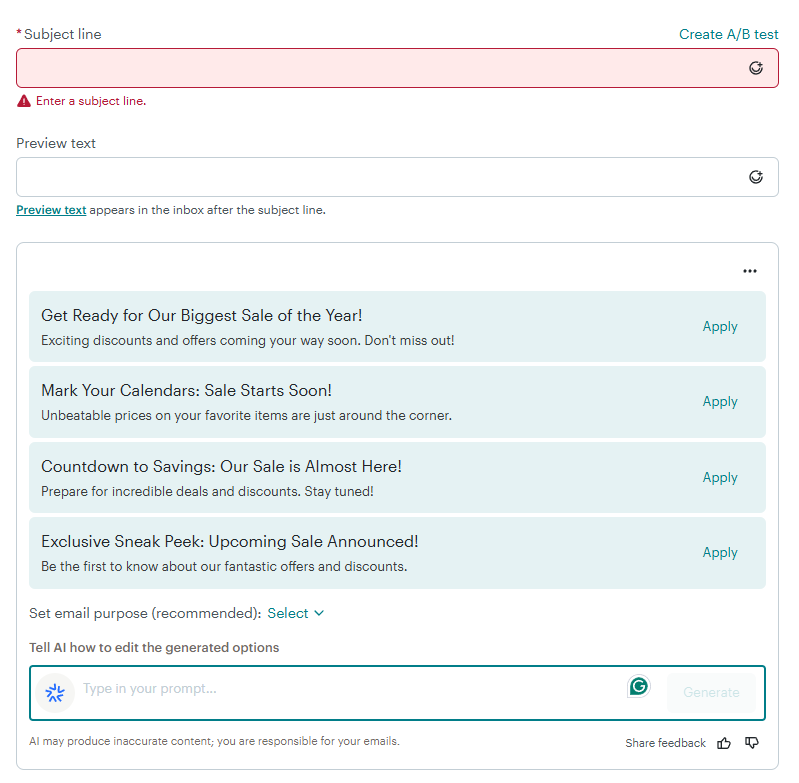
Some tools also use predictive AI to analyze past performance and recipient behavior to predict the best time to send emails and to score contacts based on how likely they are to open the email, click the CTA, and convert. Such insights let you tailor email versions for different user segments.
Email A/B Testing FAQs
How do I run email A/B tests without an ESP?
The easiest way to run email A/B tests without an email service provider is with an add-on, like Gmass for Gmail.
Such tools let you vary your subject line and body copy, automatically split your mailing list, and help you track opens, clicks, and replies.
Alternatively, you can use a spreadsheet formula to split your list randomly (=IF(RAND()<0.5,”A”,”B”)) and send the two versions manually. To track clicks, add unique UTM tags to each CTA button or link and check the referral traffic they bring in Google Analytics.
What should I do if my email list is too small?
If your email list is too small to achieve statistical significance, postpone testing and focus on creating quality content and its promotion. This will most certainly bring a higher return on your investment and let you grow your list.
Also, consider sequential testing instead of splitting your list. Send one design to your full list one week and another one next week. This isn’t rigorous enough to meet formal criteria, but can still offer valuable directional insights.
Once you start A/B testing, test only variants that are likely to bring big changes. Otherwise, the test won’t pick up the impact.
How long should an email A/B test run?
The optimal test duration depends on what you’re measuring. For a subject-line test, a few hours to 24 hours captures the bulk of them. Click tests need around 24 hours. Conversion or revenue tests need 3–7 days, since purchases trickle in gradually after the open.
What’s the difference between A/B testing and multivariate testing?
A/B testing compares two versions of an email that differ by a single element, like the subject line or CTA copy, so the result points clearly to that one change.
In contrast, multivariate testing varies several elements at once to find the best-performing combination. This is a quicker way to test multiple variables, but it requires a larger audience to reach significance than a regular A/B test.

