
Best Website Platform for Service Businesses: WordPress, Builders, Plugins, and Tools

One of the most overwhelming questions for small business owners when considering their online presence is this: Where do you build it all?
There are dozens of platforms to choose from, and each one seems to promise to be the only tool you’ll ever need. But finding the right tool, from self-hosting to WordPress to website builders, is more complex than that.
One platform promises it’s “all-in-one.” Another says it’s “built for growth.” Meanwhile, you’re trying to run an actual business. You need a website that explains what you do, earns trust, gets found in search, captures leads, and isn’t too difficult to set up and maintain.
The platform you start on tends to be the platform you’re stuck on — so it’s worth getting the choice right. There isn’t one perfect tool for every service business, but a solo consultant may not need the same setup as a remodeling company with project galleries, estimate forms, location pages, online payments, and scheduling. And the wrong platform shapes what your website can and can’t do — now and in the future.
In this guide, we’re breaking down WordPress vs. website builders, which plugins and integrations you should consider, when to connect a CRM, and how to think about other additions like payment processing. Let’s get started.
WordPress vs. Website Builders
One of the biggest decisions you’ll make is whether to use a customizable platform like WordPress or a simpler site builder like Squarespace, Webflow, or Wix. There are pros and cons to each approach:
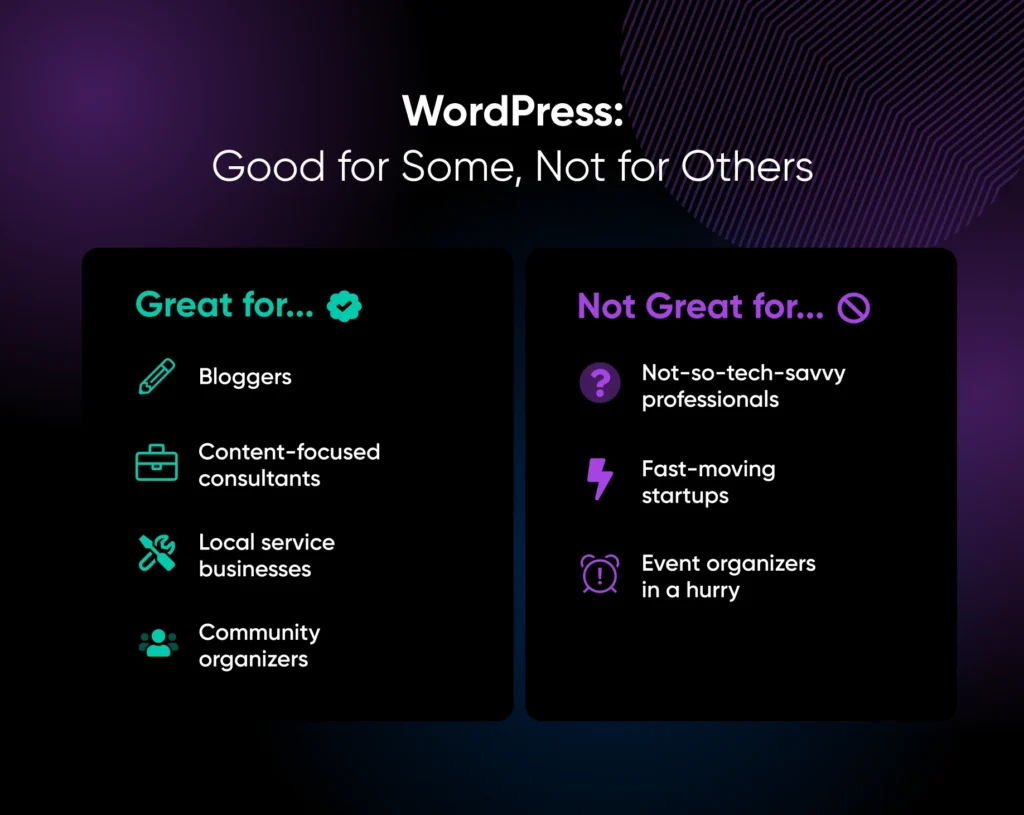
For most established service businesses, WordPress is a solid choice. But there are times when it’s not the best choice. We’ve got a full breakdown to help you choose: Choosing a Website Builder: WordPress vs. Everything Else.
Essential Plugins for Service Sites
One of WordPress’s biggest strengths is its plugin ecosystem — but it can easily become a liability for sites that install too many plugins, so it’s important to install plugins one at a time and test your site for performance issues in between each. Before installing any plugin, check three things:
Here are some plugin categories service businesses may want to explore:
CRM Integration
A customer relationship management (CRM) platform is where your leads go after they submit a form or book a consultation. Without one, you’ll have to manage leads manually in your email inbox, which puts them at risk of getting buried or falling through the cracks.
For service businesses that get fewer than around 50 leads per month, a simple CRM is enough. Zoho CRM, HubSpot’s free tier, or even a well-organized spreadsheet can work. The most important feature is making sure every website lead gets captured, tracked, and followed up on within a defined timeframe.
If you use CRM software, connect your website forms directly to it; most form plugins offer native integrations or Zapier connections. That way, no matter when a visitor submits a form, the lead should appear in your CRM immediately, with no manual entry required.
Payment Processing
Not every service business needs online payments, but if you collect deposits, offer prepaid services, or sell gift certificates, online payment processing removes friction that can cost you revenue.
WordPress integrates with payment processors through plugins. WooCommerce is the most flexible option (the core plugin is free, though many extensions cost extra), but for simple payment needs, a Stripe payment plugin or a similar setup may be all you need. Make sure to consider:
- Transaction fees: The industry standard is 1.5% to 3.5% of the transaction total. For online payments, expect closer to 2.5-3.5%. Shop around, but don’t stress over a fraction of a percent if it’ll cost you reliability and ease of use.
- Recurring payments: If you offer maintenance plans or retainer services, you need a processor that supports subscriptions
- Invoicing: Some processors include invoicing, which streamlines billing workflows for certain types of service providers
Even if you don’t need online payments now, it’s a good idea to choose a platform that supports them. As your business grows, the ability to collect deposits at the time of booking is a competitive advantage you may want later on.
Choose the Setup That Won’t Box You In
The best website platform for any service business is the one that fits how your business works now while leaving room for your planned future growth.
You don’t need to chase every new tool, plugin, app, or platform feature that shows up in your feed. More software doesn’t automatically mean a better website. In fact, it often just gives you more things to update, troubleshoot, and pay for.
Start with what your site needs to do today:
- Can people understand your services quickly?
- Can they contact you easily?
- Can you keep track of your leads after they reach out?
- Can you maintain and update your site’s content?
But also think about the growth you have planned, and whether the platform you choose will constrain it.
Choose your platform deliberately — it’s a foundation for your website and your business, giving you the structure to stand on today and keep building tomorrow.

[Download] 2026 Professional Service Business Website That Converts
Stop Losing the Comparison Round
69% of consumers say a local business needs a website to be credible — and a business website delivers a 41% trust lift, the strongest credibility signal outside of online reviews. This 38-page playbook gives service business owners the strategy, pages, trust signals, lead generation, platform, and mobile performance blueprint to win the comparison round.
Get the eBook
This page contains affiliate links. This means we may earn a commission if you purchase services through our link without any extra cost to you.
Did you enjoy this article?

