
Self-Hosted PostgreSQL on a VPS: Escape Managed DB Pricing

Compute. Storage. Backup retention.
The snapshot export you forgot about. The egress fee from the staging environment that ran a ‘pg_dump’ last Tuesday.
Nobody opens their managed-database invoice expecting it to be cheap.
But, dang.
The gap between “Postgres for $25 a month” and what shows up on the card has gotten wide, and a 4 GB VPS at the price of a single Supabase add-on now runs your whole database with room to spare for the OS to cache hot pages.
Self-hosting a production Postgres database isn’t the operational nightmare it once was. The PostgreSQL Global Development Group (PGDG) repo is solid; modern PostgreSQL installations (v14+) default to SCRAM-SHA-256 password encryption, with legacy MD5 officially deprecated as of v18. The reasons people stay on RDS, Supabase, or Neon today are operational, not technical.
We’re talking about actual invoices, actual operational overhead, and what modern Postgres hosting really looks like.
How Much Does It Actually Cost to Self-Host PostgreSQL on a VPS?
Self-hosted PostgreSQL on a 4 GB VPS commonly runs at a fraction of equivalent RDS, Supabase Pro, or Neon Scale pricing once storage, backups, and egress are stacked into the managed bill.
PostgreSQL is the database 55.6% of developers use, according to Stack Overflow’s 2025 Developer Survey, the most popular for the past two years running. It’s also the database you can comfortably run yourself.
Comparison for a representative small-team workload (4 GB RAM, ~100 GB data, low-to-moderate write load, single region), priced as of May 2026:
The RDS db.t4g.medium on-demand price is roughly $0.065 an hour, or about $47.45 a month for compute alone.
Add 100 GB of gp3 storage at roughly $0.115/GB-month and automated backups, and a Single-AZ box lands near $60/month. Turn on Multi-AZ failover and the compute line roughly doubles, pushing a production-grade configuration to $100/month and up.
That’s not a small gap.
Self-hosting is cheaper because you do the work that the managed bill was paying for. Ops discipline, on-call, at 2 a.m. when the disk fills. The managed-DB alternative you’re sizing against may have a different floor next quarter, so run the math against your own bill before committing.
When Does Self-Hosting PostgreSQL Make Sense?
Self-hosting PostgreSQL on a VPS makes sense when you have basic Linux comfort on the team, a steady workload, a predictable working-set size, and a real reason to escape the managed bill.
It doesn’t work when you have no ops capacity, regulated HA requirements you can’t build yourself, or a bursty pattern that benefits from instant scale.
Three things drive this decision. Cost, privacy and data sovereignty, and control.
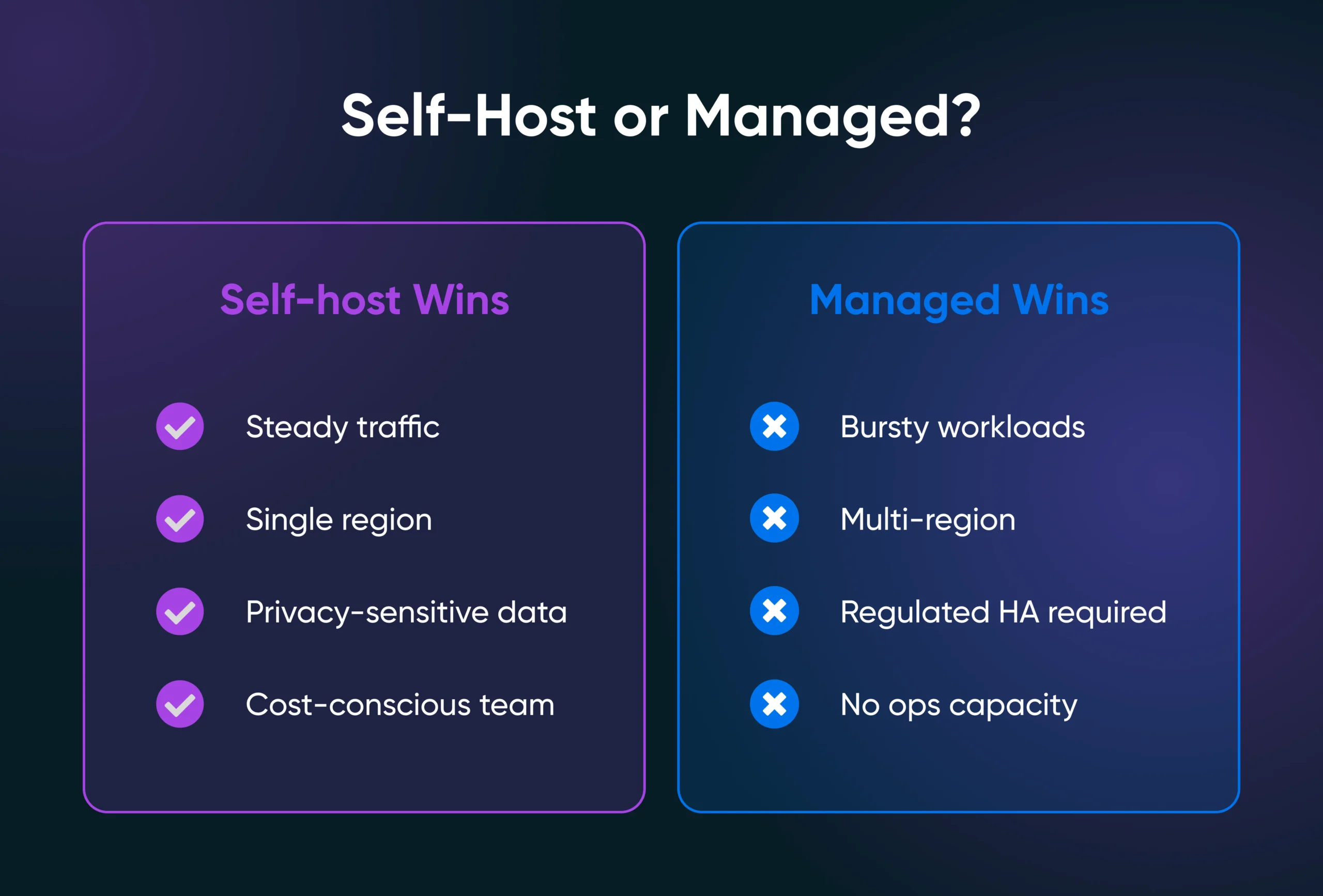
Where self-hosted wins cleanly:
- Steady traffic in a single region with a predictable working set.
- Small-to-medium SaaS apps with one Postgres database and a Linux-comfortable team.
- Privacy-sensitive workloads where the database shouldn’t sit in someone else’s tenancy.
- Cost-conscious teams whose managed bill has crept past the operational hassle threshold.
Where managed wins cleanly:
- Bursty workloads that benefit from instant scale-up and scale-down.
- Multi-region setups where global replication is the product.
- Regulated environments needing turnkey HA, compliance certs, and audit trails.
- Teams with no spare ops capacity and no plan to build it.
The 40% to 60% cost-savings number gets cited a lot. Date it carefully.
As of 2021, AWS author Rupesh Desai documented PostgreSQL on EC2 running 40% to 60% cheaper than RDS at equivalent specs, older than most current RDS instance families.
The current version is byteiota’s cost-stack analysis, published in late 2025, which says RDS is 75% to 88% more expensive than equivalent dedicated hardware.
The honest break-even is operational hours, not server cost.
How Do You Pick the Right VPS Size for PostgreSQL?
Most production application databases run comfortably on 4 GB of RAM with NVMe storage. Larger datasets, heavy concurrent connections, or analytics workloads push the requirement to 8 GB or 16 GB and up.
RAM determines how much of your working set Postgres can keep in memory; once hot pages spill to disk, queries slow down. NVMe matters because Postgres is sensitive to random-read latency for hot pages and to flush throughput for the write-ahead log.
Common PostgreSQL tuning guidance starts with:
- shared_buffers at roughly 25% of system RAM.
- effective_cache_size at roughly 50%-75% of system RAM.
- work_mem sized conservatively — based on concurrent query complexity, not total RAM alone.
On a 4 GB VPS, that usually means allocating around 1 GB to shared_buffers while leaving enough memory for the Linux page cache to hold frequently accessed data. That balance is part of why a modest 4 GB box can comfortably run many small-to-midsize production workloads.
The plan-to-workload map you need to know:
DreamHost’s VPS Hosting plans give you root access, NVMe storage, and unmetered bandwidth on a predictable monthly bill.
Those are the four things a self-hosted Postgres workload depends on.
How Do You Install PostgreSQL on a VPS?
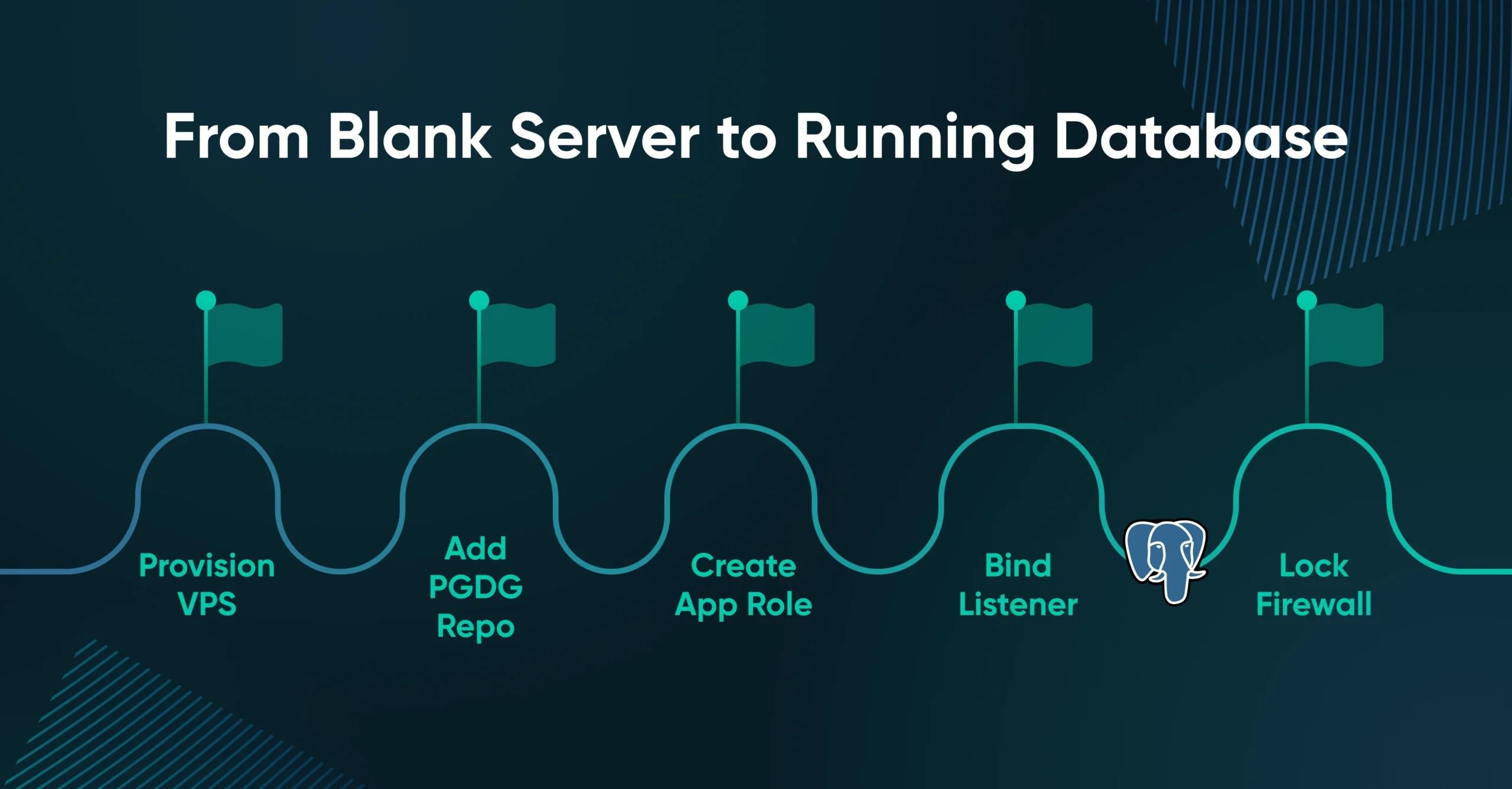
You install PostgreSQL on a VPS in five compressed steps.
Try this from another machine: psql -h <vps-ip> -U postgres.
A timeout or refused connection from an unauthorized IP usually means your listener and firewall rules are doing their job. A password prompt from the public internet means something is misconfigured. Once Postgres is running, the configuration is only half the job.
How Do You Secure PostgreSQL on a VPS?
PostgreSQL on a VPS gets secured at three layers, plus role hygiene and patching cadence.
Your security checklist:
- Use scram-sha-256 only; disable md5.
- Bind ‘listen_addresses’ to localhost or private IP.
- UFW rules allow 5432 only from trusted IPs.
- SSL/TLS on for any network-crossing connection.
- App connects as a least-privileged role, never as ‘postgres.’
- Unattended security updates enabled.
- No ‘host all all 0.0.0.0/0 md5’ lines anywhere in ‘pg_hba.conf,’ ever.
That last bullet is the cautionary tale.
Public-facing port 5432 with weak credentials is a known cryptominer and brute-force target. Exposed PostgreSQL instances get scanned continuously by automated bots looking for default accounts, leaked passwords, or permissive pg_hba.conf rules.
Publicly reachable Postgres instances with weak authentication frequently get compromised shockingly fast. A database exposed directly to the internet without proper network controls, TLS, and role isolation is the kind of mistake that turns into an incident report. A properly configured database is still one disk failure away from data loss.
How Do You Back Up and Replicate PostgreSQL on a VPS?
PostgreSQL backups on a VPS use one of three mechanisms, picked by the failure you’re protecting against. Logical backups via pg_dump for portability, physical backups via pg_basebackup plus WAL archiving for point-in-time recovery, and streaming replication for high availability.
Logical backups handle migrations, partial restores, and dev refreshes. Run pg_dump –format=custom –file=mydb.dump mydb_prod from a daily cron job. Custom format compresses well and, along with the directory format, supports pg_restore’s parallel and selective restore options. Push the dump to off-VPS object storage (DreamObjects, S3-compatible).
Physical backups handle full-system restores and point-in-time recovery. pg_basebackup plus continuous Write-Ahead Log (WAL) archiving lets you recover to any moment between the last base backup and the most recent WAL segment, the production-grade option when data loss tolerance is seconds, not hours.
Streaming replication is the third option. A read replica on a second VPS is a hot standby for read-heavy workloads or a fast failover target. The database replication setup costs a second VPS but bounds your worst-case outage to minutes.
Restore-test monthly. Managed services bake all this in, and it’s part of what the self-hosting savings are buying back. If you’re already on a managed provider, the path out is simpler than it looks.
How Do You Migrate From RDS, Supabase, or Neon to a VPS?
You migrate from a managed Postgres provider to a VPS in four steps.
What changes by provider?
The migration itself usually takes less time than picking the VPS plan. Realistic downtime is minutes for small databases, longer with WAL replay for large ones. Most installs stop here, but there is one scenario that pushes you further…
When Should You Add PgBouncer or Stick With Vanilla Postgres?
Most apps on a 4 GB VPS don’t need a connection pooler at the start. Add PgBouncer when concurrent connections exceed roughly 100, or your application stack opens a new connection per request.
PostgreSQL connections are heavy because each one is a full operating system process. With 4 GB of RAM, you don’t want hundreds of idle connections eating memory. The pooler holds the expensive Postgres connections on its side and hands out cheap, short-lived connections to your app on the other.
Two pooling modes matter:
- Session pooling: Each client gets one server connection for the session. Safe for any app, no semantics change, lower throughput gain.
- Transaction pooling: Each client gets a server connection for one transaction. Big throughput gain. You lose features relying on session state (prepared statements, advisory locks, ‘LISTEN’/’NOTIFY’) unless the app is written to expect it.
Most small SaaS apps with a connection-pooled ORM are fine without PgBouncer until they aren’t. The signal that you’ve crossed the line is ‘FATAL: too many connections’ errors or memory pressure from idle connections.
Install it with sudo apt install pgbouncer, configure /etc/pgbouncer/pgbouncer.ini with your database list and pool mode, then point the app at PgBouncer on port 6432.
Yes, you’ll know when you need it.
Making the Final Call
The cost gap is real enough to justify running the math against your own bill. But setup isn’t the hard part.
The hard part is the operational work that the managed bill was paying for. Backups, restore drills, patching, and monitoring.
Either way, take a deep breath before you open that next invoice.

VPS
Own Your Entire Stack. Apps, AI, Databases, and More.
Keep every credential and conversation on a server you control, with NVMe speed and unmetered bandwidth built in.
Explore VPS Hosting Plans
Frequently Asked Questions About PostgreSQL on a VPS
How much RAM does PostgreSQL need on a VPS?
PostgreSQL runs on 1 to 2 GB for tiny workloads and comfortably on 4 GB for most production application databases. Heavier datasets, more concurrent connections, or analytics workloads push the requirement to 8 GB or more.
Can I run PostgreSQL on a 2 GB VPS?
Yes, you can run PostgreSQL on a 2 GB VPS for small apps, dev environments, and low-traffic side projects. A 2 GB box leaves little headroom for caching, so query performance drops as your data outgrows memory. For production workloads, 4 GB is the safer baseline.
Is self-hosting PostgreSQL on a VPS cheaper than RDS or Supabase?
Yes, self-hosting PostgreSQL on a VPS is cheaper than RDS or Supabase for most steady-state workloads. A 4 GB VPS commonly runs at a fraction of the equivalent RDS, Supabase Pro, or Neon Scale spec once storage, backups, and egress are stacked in. The trade-off is that you operate the database yourself.
How do I expose PostgreSQL on a VPS securely?
Don’t expose port 5432 to the public internet. Bind PostgreSQL to localhost or a private IP, require scram-sha-256 authentication, and SSH-tunnel admin tools instead of opening 5432 to your laptop. Public 5432 with weak auth is a known cryptominer target.
Do I need to use Docker for PostgreSQL on a VPS?
No, Docker is not required. The official PGDG apt repository installs PostgreSQL as a native system service, which is the simplest production-grade setup. Docker is reasonable if you’re already running other containers.
How do I back up PostgreSQL on a VPS?
Run pg_dump –format=custom on a daily cron schedule and store the output off-VPS in S3-compatible object storage. Use pg_basebackup plus WAL archiving for point-in-time recovery when seconds of data loss matter. Restore-test monthly.
What plan should I choose for self-hosting PostgreSQL on DreamHost?
DreamHost’s VPS Stack 4 plan (4 GB RAM) is the recommended baseline for most production application databases. Choose Stack 8 (8 GB) for larger datasets or high concurrency, and Stack 16 for Postgres alongside other resource-heavy services.
Should I use PgBouncer with PostgreSQL on a small VPS?
Most apps on a 4 GB VPS don’t need PgBouncer at the start. Add a connection pooler when concurrent connections approach 100, or when your app opens a new connection per request.
Did you enjoy this article?

